



Meeting transcription for recorded calls
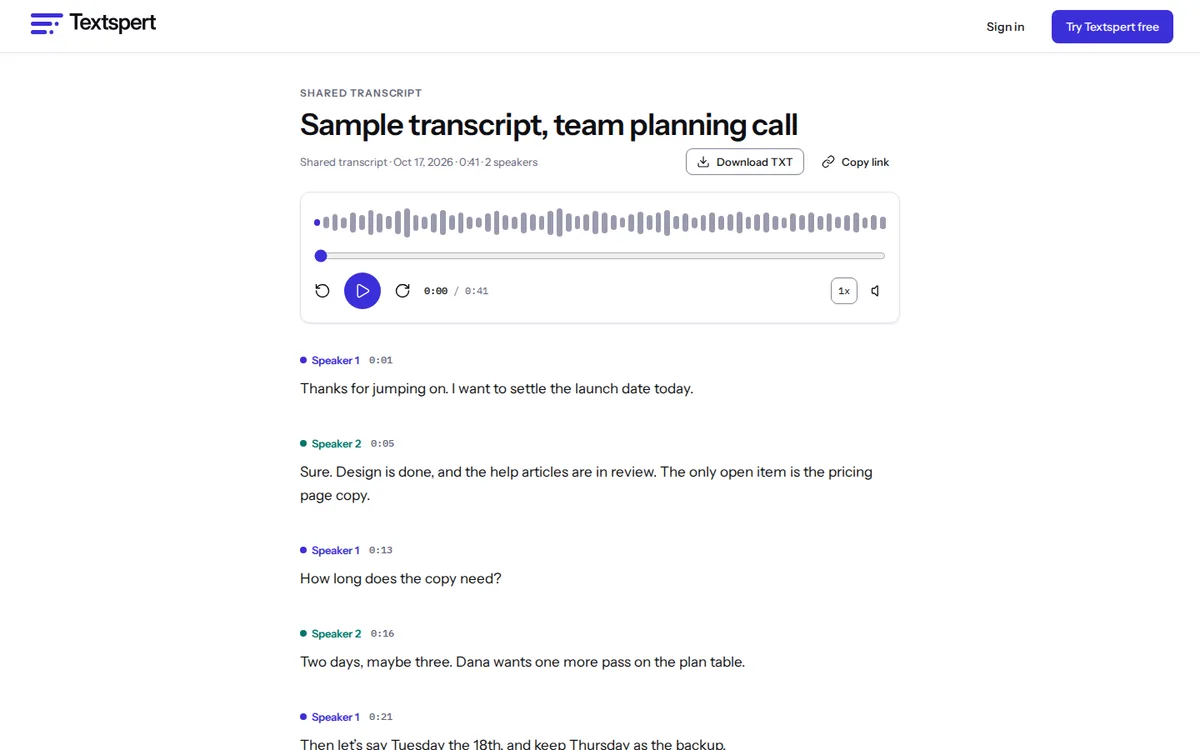
No bot joins your call. Record the way you already do, download the file and upload it. You get a transcript with up to 4 speakers labeled, plus a summary and action items to edit and pass along.
Transcribe a recording
Launching November 2026
Where to find your meeting recording
These are the usual places to look. Your company’s setup may differ.
Zoom
Local recordings land in a Zoom folder on your computer after Zoom finishes converting them. Cloud recordings sit in the Zoom web portal under Recordings, as an MP4 or an audio-only M4A.
Microsoft Teams
Usually OneDrive or SharePoint, depending on the meeting type and your organization’s settings. Open the recording from the meeting chat and download it there.
Google Meet
Usually the organizer’s Google Drive, in a Meet Recordings folder, and the organizer gets an email with a link. Download the MP4 from Drive.
Phone or room system
Any audio file works, from a phone’s M4A in the middle of the table to a conference room recorder’s WAV.
If you can’t find the file, ask whoever hosted. In many organizations only the organizer or a meeting owner can download it.
From recording to meeting notes
- Upload the MP4 or the audio-only file. Audio is far smaller, which helps on a slow connection.
- Turn on Recognize speakers, then rename the labels to real names.
- Run the AI summary for a summary, chapters and action items in one go.
- Fix the owners and dates on the action items. The draft only knows what was said out loud.
- Share a private link, or export DOCX or PDF for whoever missed it.
- Dana sends the revised budget to finance by Friday.
- Marcus books the room for the March planning day.
- Everyone reviews the vendor shortlist before next week’s call.
We wrote those action items for this page. They don’t come from a real meeting.
Why there’s no meeting bot
Bots that join calls are handy. If you want live notes while the meeting is still going, a tool built around that, like Otter, is the better fit, and our Otter comparison says so plainly.
Here, nothing new joins the participant list and nobody approves a bot. You pick which recordings get transcribed after the fact, which suits teams that already record for training or compliance.
Keeping meeting notes private
- Your recording is never sent to any AI company. Transcription and the summary run on our own GPUs.
- Share links are unguessable, can expire on a date you pick, and can be revoked anytime.
- Staff access is controlled: admin accounts need two-factor sign-in, and signing in as you needs a written reason that goes in an audit log.
- Delete a meeting when you’re done with it, or set files to delete on a schedule.
Our training and deletion promises are on the private transcription page.
Meeting length, speakers and plans
Free files run up to 60 minutes, enough for most stand-ups and one-on-ones. Paid plans and hour packs take recordings up to 10 hours and 5 GB, so an all-day workshop fits in one file.
Each file labels up to 4 speakers, so in a bigger meeting quieter people may share a label. Every word is still there; move lines to the right person.
Unlimited ($20 a month, fair use up to 720 hours a month) adds chat, translation and bulk export. Ask “what did we decide about the budget?” and the answer points to the moment it came from.
Meeting transcription questions
Does Textspert join my Zoom or Teams calls?
No. There’s no bot. Record the meeting in your usual app, download the file, and upload it here.
Can it pull action items out of a meeting?
Yes. One click drafts a summary, chapters and a list of action items. Edit them before you send them around.
Which file should I download from Zoom?
Either one. The MP4 carries video and audio; the audio-only M4A is smaller and gives you the same transcript.
Our meetings have 8 people. Will that work?
Everyone’s words are in the transcript, but labels top out at 4 per file, so some people will share one. Rename and reassign lines where it matters.
Can I share notes with people outside my company?
Yes. Make a private link, add an expiry date if you want one, and revoke it when the project wraps up.
How long can a meeting recording be?
An hour on Free. With an hour pack or a paid plan, one file can run 10 hours.
Can I transcribe a Teams recording a colleague shared with me?
If you can download it, yes. If the option is missing, downloads may be limited to the organizer, so ask them for the file.
Can I send the summary without reading it?
Read it first. The draft only knows what was said out loud, can miss a decision that was implied, and can slip on names. Most of the fixing is owners and dates.
Related pages for meetings
- Otter alternativesSeven tools for people who upload files instead of running a bot.
- Interview transcriptionFor reporters checking quotes and researchers coding interviews, with every line tied to the audio.
- Speaker identificationSee who said what, for up to 4 voices per file, then rename and merge speakers.
- Video to textGet a transcript or SRT and VTT subtitles from MP4, MOV, MKV and other video files.
Compare plans on the pricing page, or read our short privacy promises.
Join the waitlist
Launching November 2026. Be first to hear when Textspert opens.
We'll only email you about the launch. Unsubscribe anytime. Privacy