



Transcribe a lecture into searchable notes
A recorded class only helps if you can find things in it. Turn it into timestamped text, search for the term your professor defined in week 3, click it and hear the explanation again.
Transcribe a recording
Launching November 2026
Before you record a class
Ask your instructor first. Many schools have rules about recording lectures, and some instructors post their own recordings, which sound clearer than a phone in your bag. If your school’s disability services office arranged recording for you, follow the terms it gave you.
- Sit near the front, or set your phone close to the speaker if that’s allowed.
- Record on the upload page from a laptop, or use your phone’s recorder app and upload the file later.
- Keep each recording to one class. Free files run up to 60 minutes, paid files up to 10 hours.
Turn a class recording into an outline
Upload and check the language
Detection listens to the first 30 seconds of speech. If class opens with chatter in another language, pick the language yourself.
Run the AI summary
You get a short summary and a chapter list with start times. Those chapters already work as an outline of the lecture.
Fill in the outline
Under each chapter, paste the definitions, formulas and examples from the transcript. Click a chapter’s time to hear that part again.
Export your notes
DOCX or PDF to print, or TXT for the notes app you already use.
- Housekeeping and the problem set
- What entropy measures
- Worked example: an ice cube in warm water
- Common mistakes on the midterm
We invented those chapters for this page to show the format.
Search a whole term of lectures
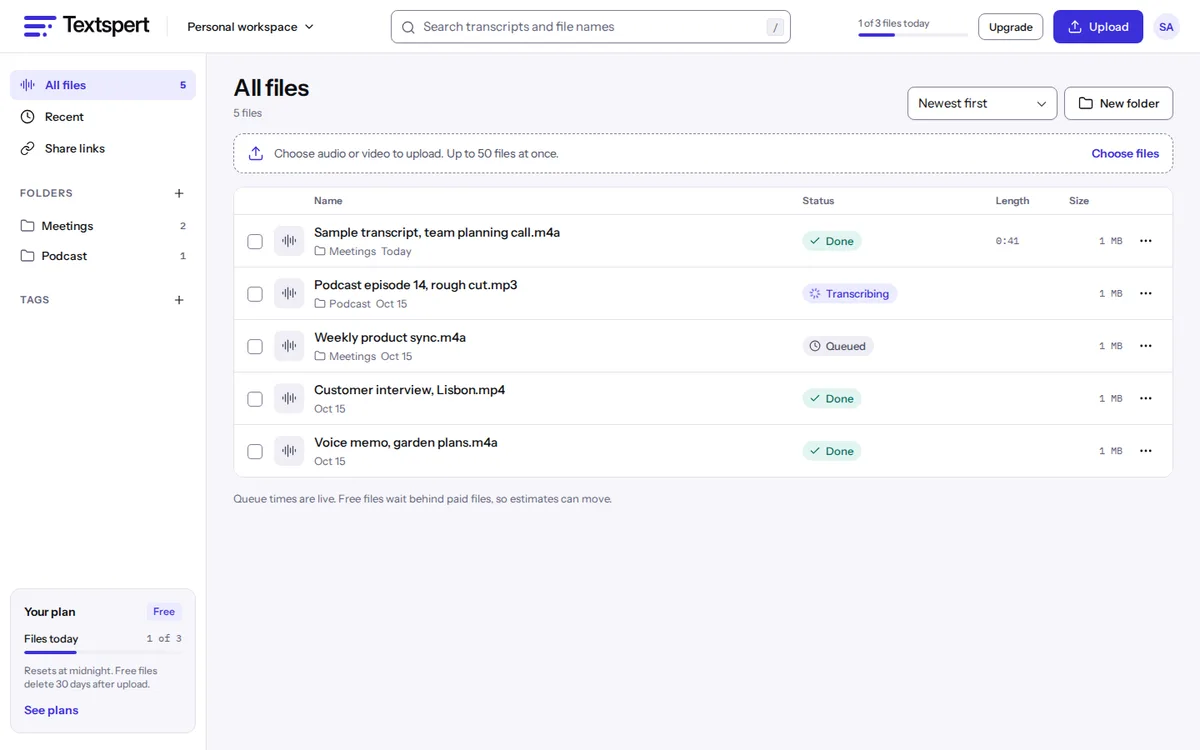
Give each course its own folder and tag lectures by week or topic. Search runs across every transcript in your workspace, so a word your instructor used in week 2 and again before the final turns up in both places.
Before an exam, search the terms on the study guide, open each result, and listen to how they were explained in class. For many people that beats scrolling back through slides.
Lecture text for students who need it
For students who are deaf or hard of hearing, who process spoken language differently, or who are learning in a second language, a transcript turns a fast lecture into something to read at their own pace. They can also slow the playback and follow the highlighted words.
If you teach, transcribe your own recordings and share a read-only link with the class, or export SRT or VTT to caption lecture videos on your course site. Unlimited can translate a finished transcript into 100+ languages for international students (fair use up to 720 hours a month).
This is a tool, not an accommodation service. Your school’s disability office decides what counts as an official accommodation.
What students usually need
| If you | Try | Why |
|---|---|---|
| Record one or two 50-minute classes a day | Free | 3 files a day, each up to 60 minutes, with 3 AI summaries a day for summaries and chapters. |
| Sit in 75-minute or longer seminars | 5-hour pack, $5 | Packs accept files longer than 60 minutes and skip the daily file limit. Hours last 12 months. |
| Want to ask questions of your notes | Unlimited | Chat answers from the transcript, up to 100 messages a day. |
Free lecture files delete after 30 days, so export anything you need through finals. Every plan is on the pricing page.
Lecture transcription questions
Can I record a lecture right in my browser?
Yes. Use the record option on the upload page with your laptop’s microphone. It’s transcribed like any uploaded file.
Am I allowed to record my professor?
That depends on your school and your instructor. Ask first and follow your school’s policy. Some classes forbid recording, and some instructors post their own.
Does the Free plan include summaries?
Yes, 3 AI summaries a day, each with chapters and action items.
Can I search across all my lectures?
Yes. Search looks through every transcript in your workspace, and folders and tags narrow it to one course.
My lecture is 90 minutes long. What now?
Free files stop at 60 minutes. A 5-hour pack costs $5 and accepts files up to 10 hours, or you can record the class in two parts.
Can I get captions for a recorded class video?
Yes. Export SRT or VTT and attach it to the video on your course site or YouTube. You get a caption file; captions aren’t burned into the video.
Will it handle math and technical terms?
Spoken formulas come out as words, like "x squared plus two x", not as notation. Clear speakers usually get technical terms through, but check the ones your exam depends on and fix them with find and replace.
Can classmates see my transcripts?
Only through a link you share. Transcripts sit in your own workspace, and a share link is read-only, can expire and can be revoked.
Related pages for students and teachers
- Sermon transcriptionTurn a sermon into a blog post, a study guide and captions for the service video.
- Voice memo to textTranscribe voice memos and WhatsApp or Telegram voice notes from M4A, OGG or OPUS files.
- Podcast transcriptEpisode transcripts with hosts and guests labeled, plus draft chapters for show notes and YouTube.
- Interview transcriptionFor reporters checking quotes and researchers coding interviews, with every line tied to the audio.
Compare plans on the pricing page, or read our short privacy promises.
Join the waitlist
Launching November 2026. Be first to hear when Textspert opens.
We'll only email you about the launch. Unsubscribe anytime. Privacy